Give your clients clarity at a glance

Turn QuickBooks Online data into branded, client-ready dashboards for bookkeeping, accounting, and advisory firms.

Free for 1 client. No credit card required.

What is Firmside?

Firmside is client reporting software for bookkeeping, accounting, and advisory firms using QuickBooks Online. It helps firms deliver branded, client-ready dashboards without rebuilding spreadsheets or maintaining business intelligence tools.

Client dashboards
shouldn't be this hard.

On your own

  • Export and reshape QBO data before you can build anything
  • Build every chart, KPI, and formula by hand
  • One chart of accounts change can break your formulas and layout
  • Rebuild each client's dashboard yourself, and reapply every change across all of them
  • Getting it polished and client-ready takes real work every time
With Firmside

  • Turn QuickBooks Online data into interactive dashboards and reports
  • Categorize each account once. Charts, KPIs, and reports build themselves
  • When your chart of accounts changes in QuickBooks, categorize the new accounts — nothing breaks
  • Dashboards update automatically on your QBO schedule, or upload manually anytime
  • Branded dashboards clients actually want to open, via direct link or secure login

Keep your spreadsheet workflow. Give clients a polished dashboard.

Firmside fits the process you and your clients already use, without replacing anything.

QuickBooks Online stays the source of truth

Your dashboards are built from the data already in QuickBooks, so your books never move.

Spreadsheets can stay in the workflow

Keep your Google Sheets for everything you already do in them, like notes, planning, or data you pull in yourself. If you already send clients a sheet, drop your Firmside share link right in.

Firmside adds the client-ready layer

The polished, branded dashboard your clients actually open, via a share link or login.

Set up your first client in four steps

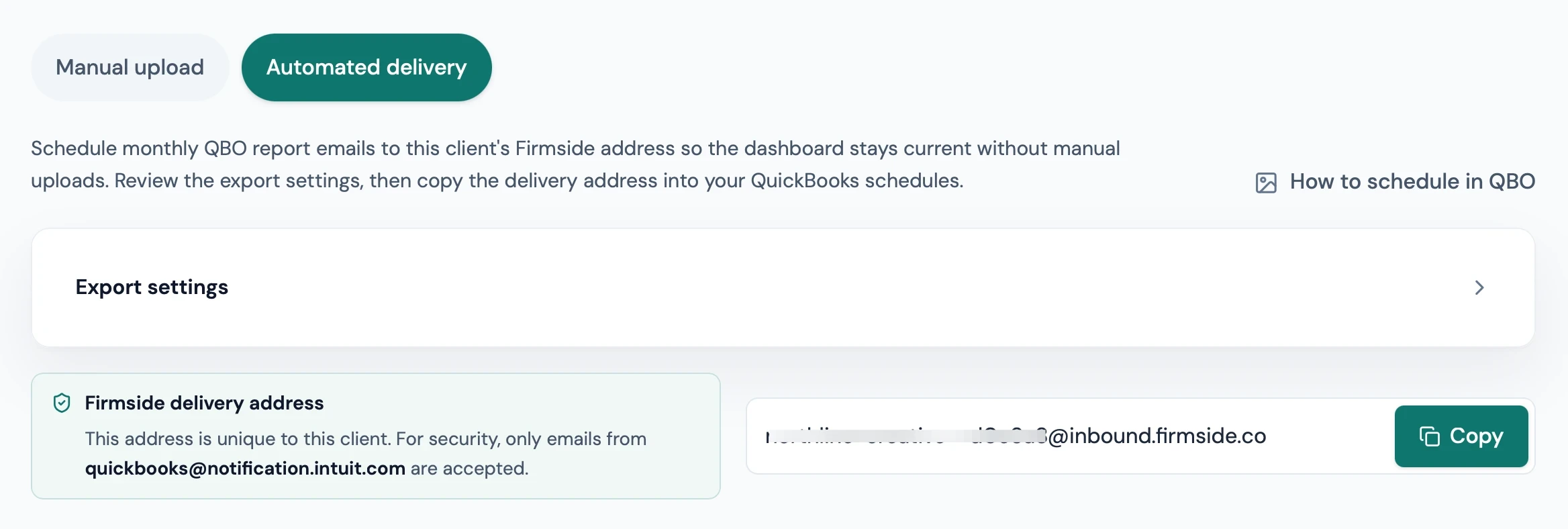
Step 01: Import data

Set it up once, data flows every month

Schedule QuickBooks to send each client's Profit & Loss and Balance Sheet to Firmside. Set it up once, and the dashboard stays current every month. Need to upload manually? Drop in QBO exports instead.

Firmside workflow step 01: Set it up once, data flows every month
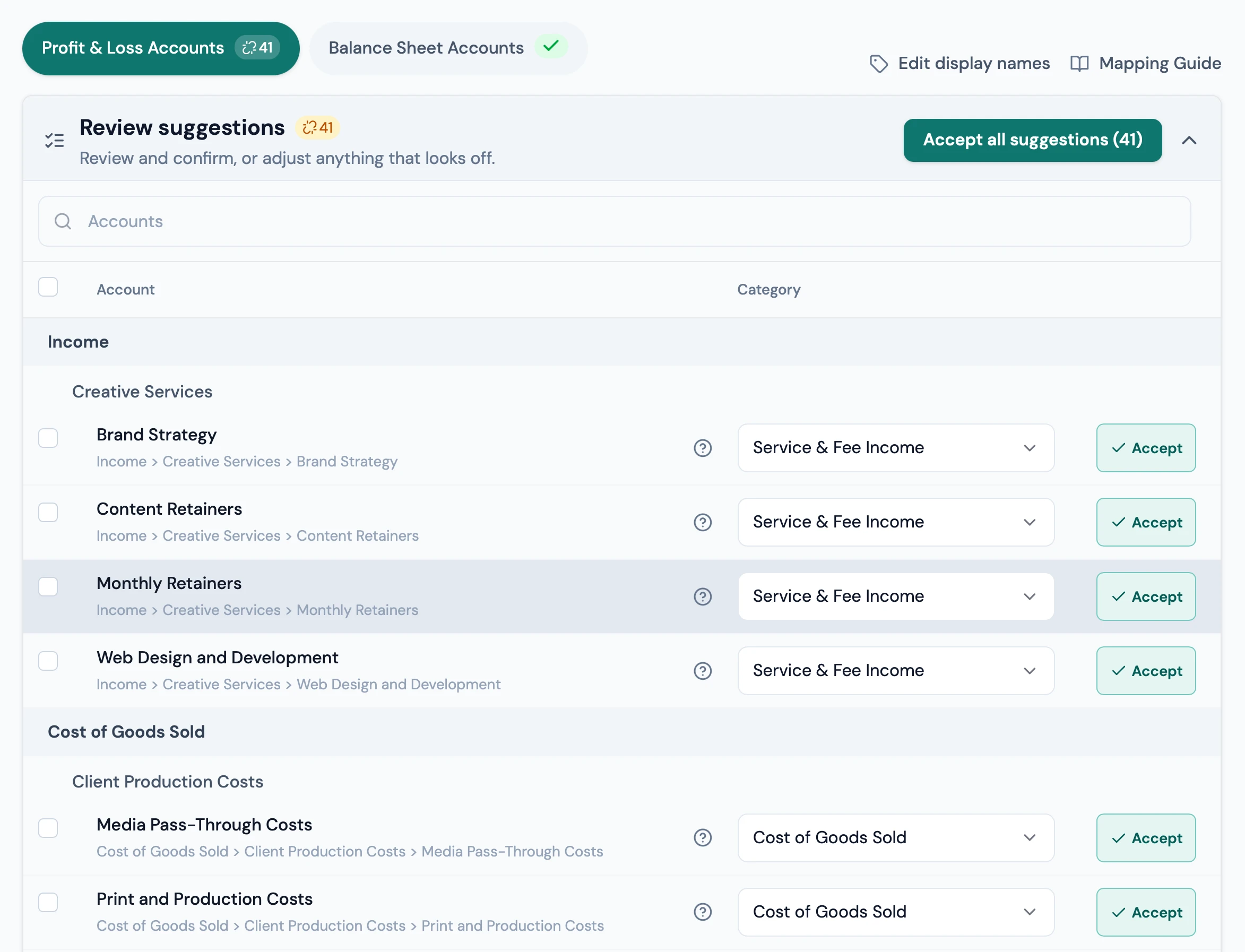
Step 02: Map accounts

Confirm categories in minutes

Firmside suggests a category for most accounts based on their name and structure. Review the suggestions, hit accept, and you're set. Mappings carry forward every month.

Firmside workflow step 02: Confirm categories in minutes
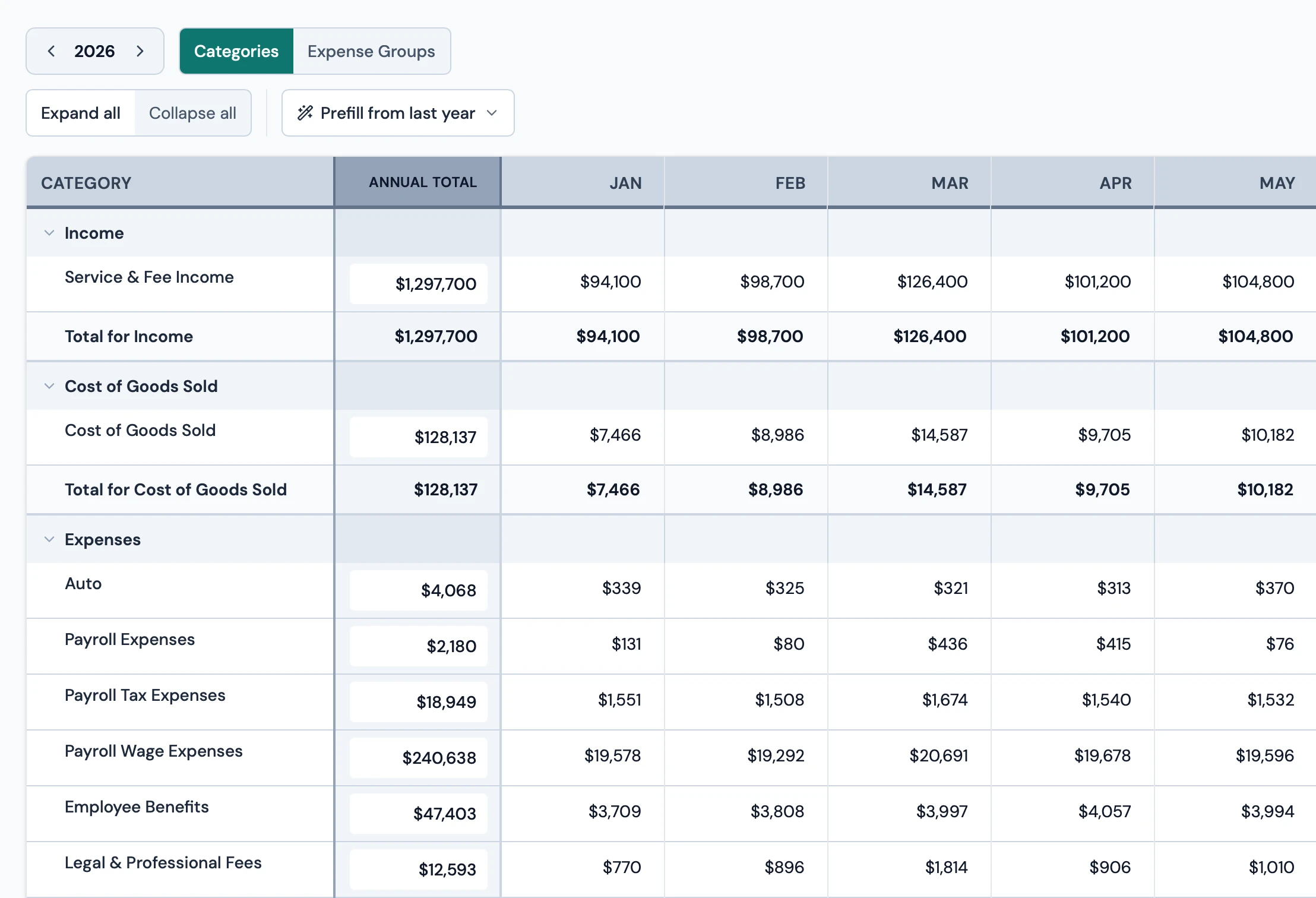
Step 03: Set a budget

Start your budget in one click

Fill your yearly budget from last year's actuals, then adjust anything from there. Dashboard charts and reports compare actuals to your budget.

Firmside workflow step 03: Start your budget in one click
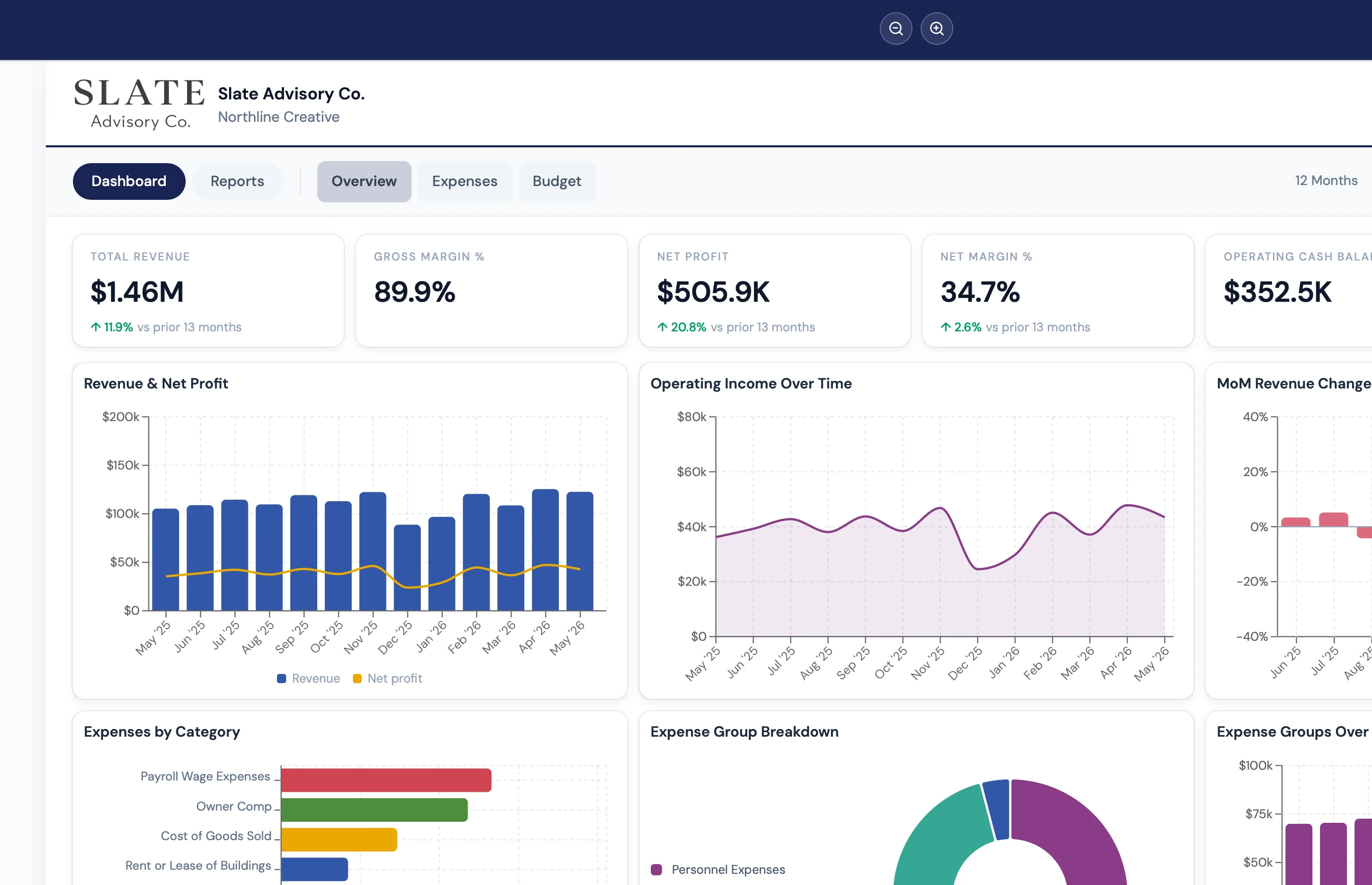
Step 04: Customize & share

Everything in one place for the call

Customize a client dashboard from 100+ charts and KPIs, with built-in financial reports right there when you need them, ready to share and explore together on your next call.

Firmside workflow step 04: Everything in one place for the call

Your firm's branding on every dashboard

Every dashboard your clients see carries your firm's name, logo, and brand color. The output is yours.

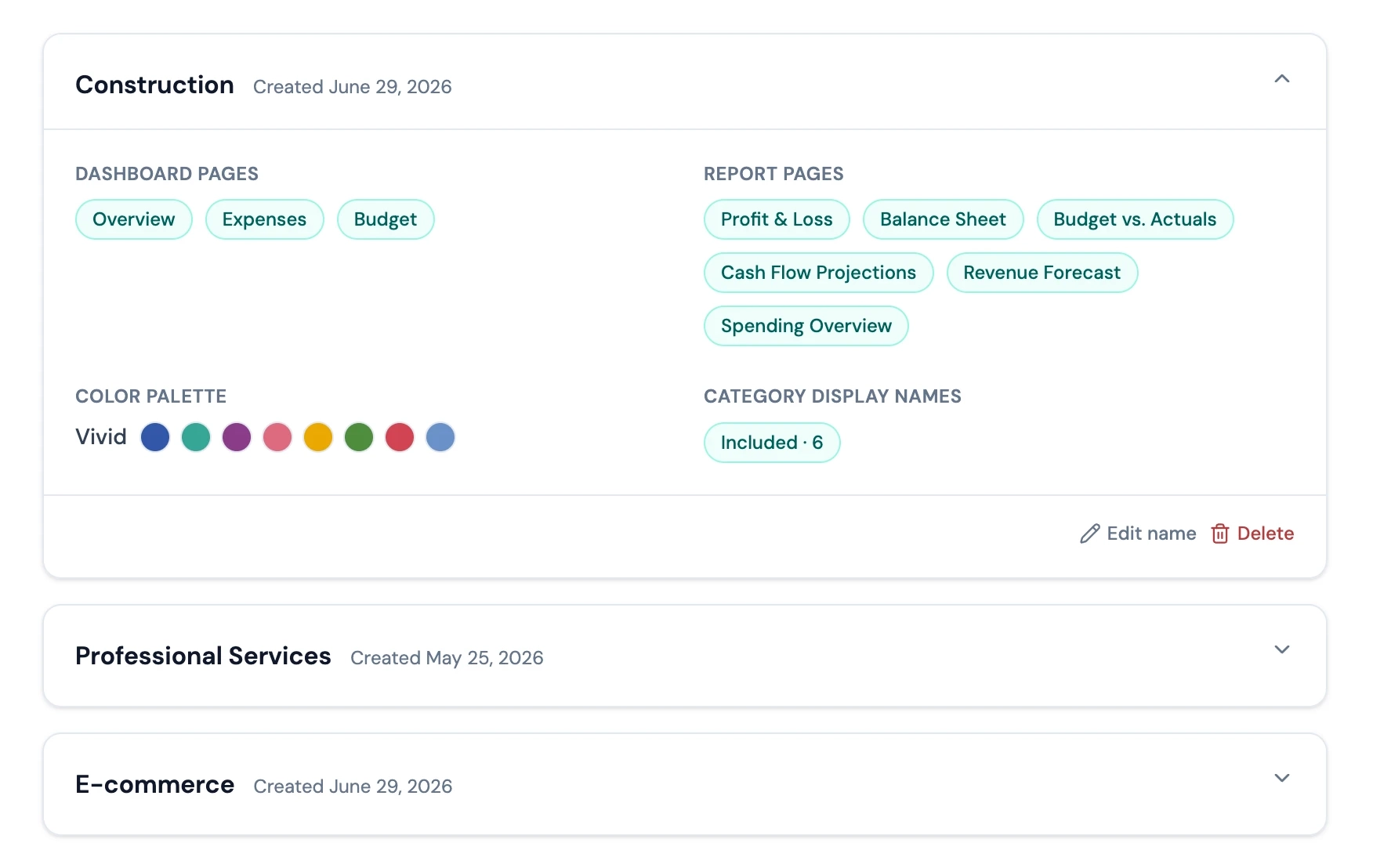
Save dashboard templates and reuse them across clients

Save a dashboard template with the pages, charts, KPIs, and colors you want, then apply it across clients in one click.

Firmside dashboard templates with Construction expanded and Professional Services and E-commerce saved below

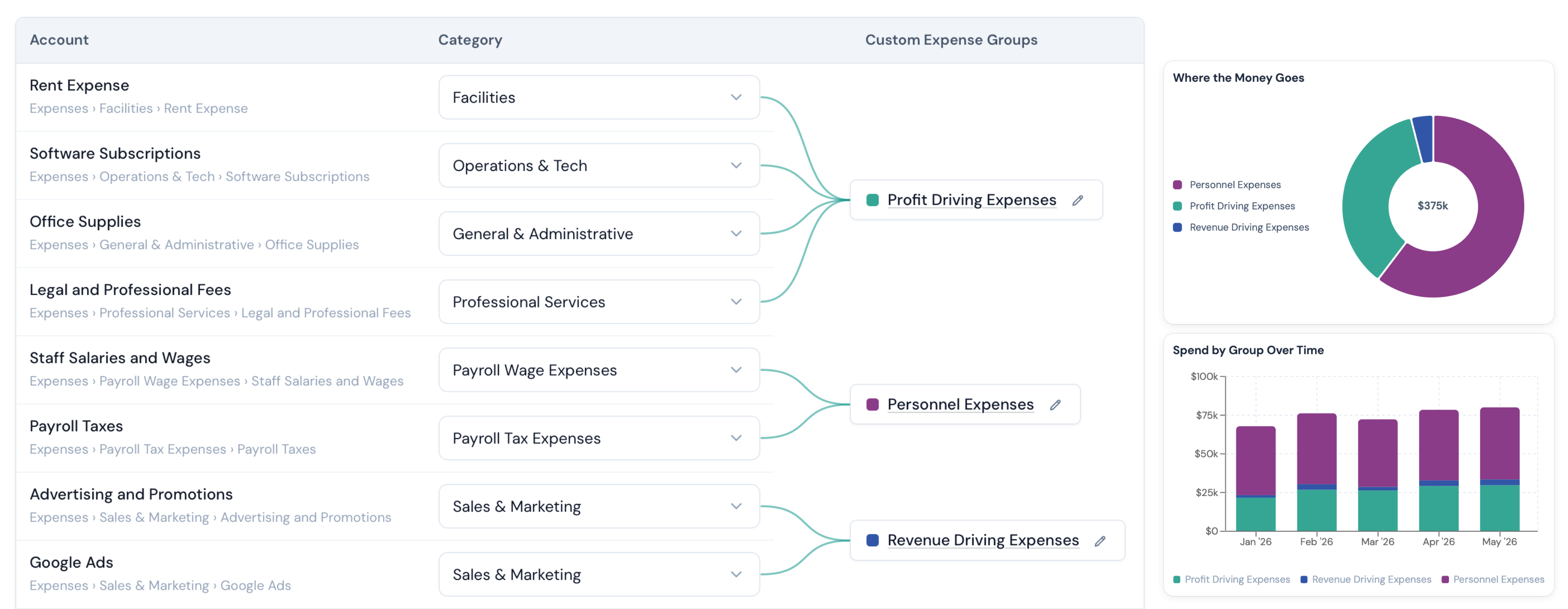
Group expenses the way you report

Organize expenses into groups that roll up categories the way you report. No need to edit your client's chart of accounts.

Firmside expense group mapping that rolls multiple account categories into reporting groups

Built for firms that want client-ready QBO dashboards

Bookkeeping / Accounting Firm

Turn each monthly close into a clean, client-ready dashboard, with no spreadsheet repackaging.

Client Advisory Services Firm

Give every advisory client the same polished dashboard, so your team spends less time on setup and more time with the client.

Fractional CFO Firm

Lead client meetings from one view of revenue, cash, and budget, all in one place.

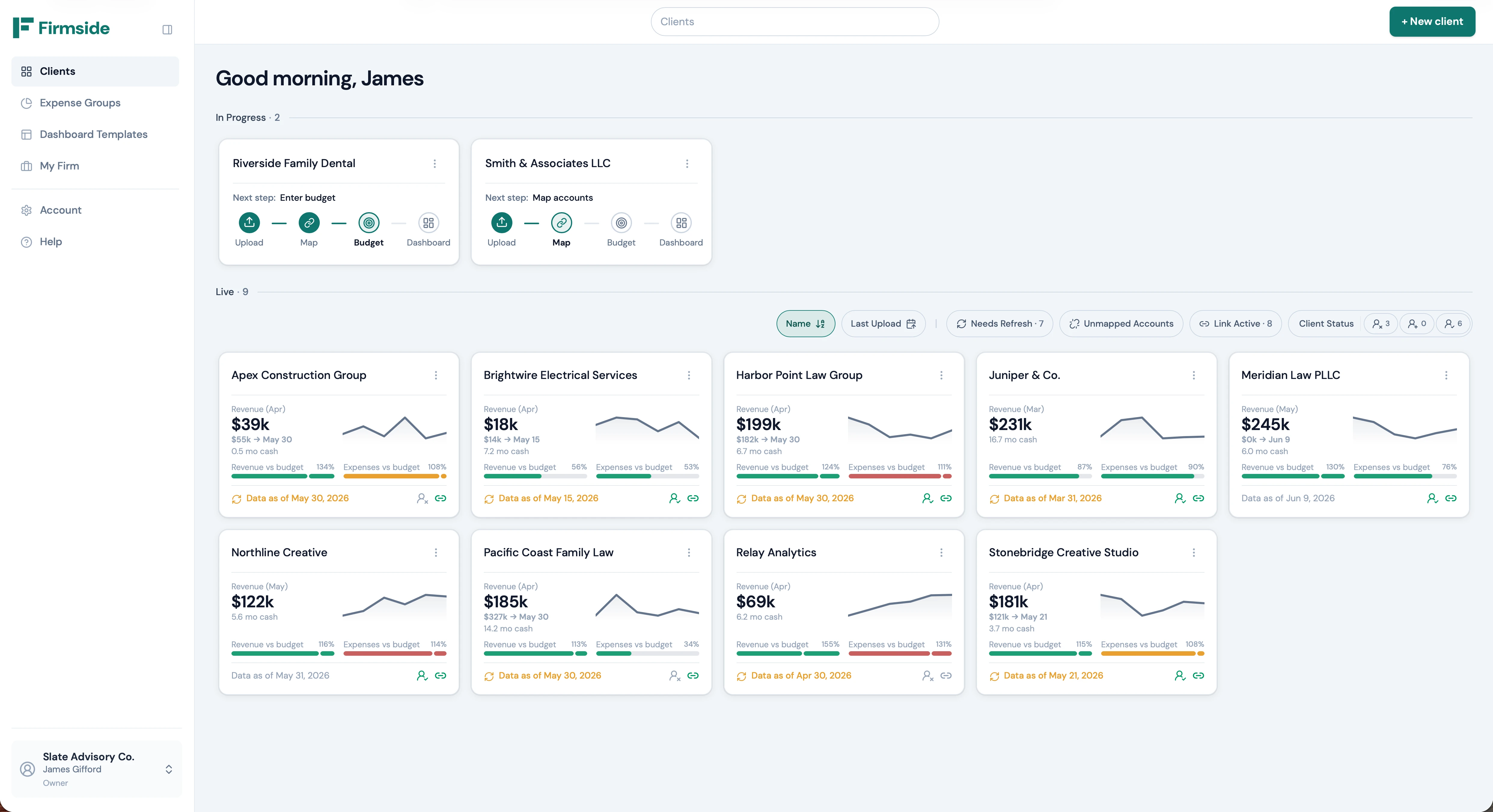
See every client at a glance

Review each client's key numbers in one view, so you can spot who needs attention before the next meeting.

Firmside client hub showing revenue trends, cash runway, and budget status across client portfolio cards

Try Firmside on your first client for free

Free
$0

Start with your first client and see how Firmside fits.

  • 1 client dashboard, with no time limit
  • Over 100 charts and KPIs to choose from
  • Map accounts without touching your client's chart of accounts
  • Group expenses into Expense Groups with their own charts
  • Clients get their own secure login to view their dashboard
  • "Powered by Firmside" footer on client dashboards
Start free
Most popular
Pro
$99/mo

Manage up to 15 clients with a more repeatable reporting process.

  • Everything in Free
  • Up to 15 client dashboards
  • Your logo and brand colors on every dashboard
  • Remove the "Powered by Firmside" footer
  • Automatic dashboard updates from QBO Scheduled Reports
  • Save up to 3 dashboard templates and apply them to any client
  • A separate dashboard for your firm's own financials
Get started
Agency
$229/mo

Unlimited clients and team access for a full-firm rollout.

  • Everything in Pro
  • Unlimited client dashboards
  • Save up to 10 dashboard templates and apply them to any client
  • Add up to 5 people alongside the owner
  • Give each owner or team member permissions
  • Team members work on clients without billing or firm dashboard access
Get started

Common questions

If something is not answered here, reach out. We are happy to walk through your specific workflow.

Yes. Firmside is built for bookkeeping, accounting, and advisory firms working from QuickBooks Online. Firmside does not connect directly to QBO. Instead, it imports QBO data through QuickBooks Schedule & Send reports to keep each client dashboard up to date automatically. Manual upload also works if you prefer.

Give every client a clearer financial story

Build cleaner client dashboards that are easier to update, share, and review together.